

MAIXI

服务与支持Service & Support

快速找到产品支持、常见问题、保修服务与联系方式。Quickly find product support, common questions, warranty service, and contact options.

产品支持PRODUCT SUPPORT

从产品或问题开始。Start with a product or a question.

选择产品型号,或直接查看常见问题与排查步骤。Choose a product model, or go directly to common questions and troubleshooting steps.

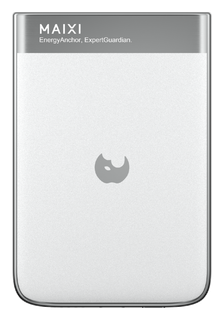
M1-10充电宝 · 使用与支持Power Banks · Use and support

开始使用与兼容性First use and compatibility

请先确认设备型号、接口与设备说明中的输入要求,再对照产品页面。磁吸产品还可以一并说明手机与保护壳型号,线材则需要确认两端接口。Confirm the device model, connector, and input requirements, then compare them with the product page. For magnetic products include the phone and case model; for cables check both connector ends.

查看 M1-10 规格 →View M1-10 specifications →

按现象排查Troubleshoot an issue

说明书与资料Manuals and information

该型号的说明书尚未公开,开放后将在支持中心提供版本与下载日期。The manual for this model has not been published. A version and download date will be provided in Support when it becomes available.

联系产品支持 →Contact product support →
了解 M1-10 产品 →Explore M1-10 →
M1-05充电宝 · 使用与支持Power Banks · Use and support

开始使用与兼容性First use and compatibility

请先确认设备型号、接口与设备说明中的输入要求,再对照产品页面。磁吸产品还可以一并说明手机与保护壳型号,线材则需要确认两端接口。Confirm the device model, connector, and input requirements, then compare them with the product page. For magnetic products include the phone and case model; for cables check both connector ends.

查看 M1-05 规格 →View M1-05 specifications →

按现象排查Troubleshoot an issue

说明书与资料Manuals and information

该型号的说明书尚未公开,开放后将在支持中心提供版本与下载日期。The manual for this model has not been published. A version and download date will be provided in Support when it becomes available.

联系产品支持 →Contact product support →
了解 M1-05 产品 →Explore M1-05 →
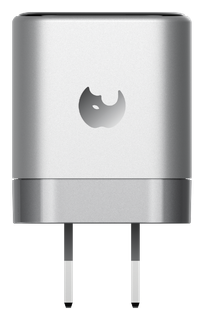
S1-60W充电器 · 使用与支持Chargers · Use and support

开始使用与兼容性First use and compatibility

请先确认设备型号、接口与设备说明中的输入要求,再对照产品页面。磁吸产品还可以一并说明手机与保护壳型号,线材则需要确认两端接口。Confirm the device model, connector, and input requirements, then compare them with the product page. For magnetic products include the phone and case model; for cables check both connector ends.

查看 S1-60W 规格 →View S1-60W specifications →

按现象排查Troubleshoot an issue

说明书与资料Manuals and information

该型号的说明书尚未公开,开放后将在支持中心提供版本与下载日期。The manual for this model has not been published. A version and download date will be provided in Support when it becomes available.

联系产品支持 →Contact product support →
了解 S1-60W 产品 →Explore S1-60W →
S3充电器 · 使用与支持Chargers · Use and support

开始使用与兼容性First use and compatibility

请先确认设备型号、接口与设备说明中的输入要求,再对照产品页面。磁吸产品还可以一并说明手机与保护壳型号,线材则需要确认两端接口。Confirm the device model, connector, and input requirements, then compare them with the product page. For magnetic products include the phone and case model; for cables check both connector ends.

查看 S3 规格 →View S3 specifications →

按现象排查Troubleshoot an issue

说明书与资料Manuals and information

该型号的说明书尚未公开,开放后将在支持中心提供版本与下载日期。The manual for this model has not been published. A version and download date will be provided in Support when it becomes available.

联系产品支持 →Contact product support →
了解 S3 产品 →Explore S3 →
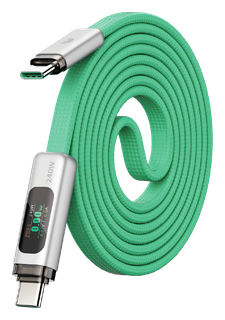
C1充电线 · 使用与支持Charging Cables · Use and support

开始使用与兼容性First use and compatibility

请先确认设备型号、接口与设备说明中的输入要求,再对照产品页面。磁吸产品还可以一并说明手机与保护壳型号,线材则需要确认两端接口。Confirm the device model, connector, and input requirements, then compare them with the product page. For magnetic products include the phone and case model; for cables check both connector ends.

查看 C1 规格 →View C1 specifications →

按现象排查Troubleshoot an issue

说明书与资料Manuals and information

该型号的说明书尚未公开,开放后将在支持中心提供版本与下载日期。The manual for this model has not been published. A version and download date will be provided in Support when it becomes available.

联系产品支持 →Contact product support →
了解 C1 产品 →Explore C1 →
C2充电线 · 使用与支持Charging Cables · Use and support

开始使用与兼容性First use and compatibility

请先确认设备型号、接口与设备说明中的输入要求,再对照产品页面。磁吸产品还可以一并说明手机与保护壳型号,线材则需要确认两端接口。Confirm the device model, connector, and input requirements, then compare them with the product page. For magnetic products include the phone and case model; for cables check both connector ends.

查看 C2 规格 →View C2 specifications →

按现象排查Troubleshoot an issue

说明书与资料Manuals and information

该型号的说明书尚未公开,开放后将在支持中心提供版本与下载日期。The manual for this model has not been published. A version and download date will be provided in Support when it becomes available.

联系产品支持 →Contact product support →
了解 C2 产品 →Explore C2 →
C3充电线 · 使用与支持Charging Cables · Use and support

开始使用与兼容性First use and compatibility

请先确认设备型号、接口与设备说明中的输入要求,再对照产品页面。磁吸产品还可以一并说明手机与保护壳型号,线材则需要确认两端接口。Confirm the device model, connector, and input requirements, then compare them with the product page. For magnetic products include the phone and case model; for cables check both connector ends.

查看 C3 规格 →View C3 specifications →

按现象排查Troubleshoot an issue

说明书与资料Manuals and information

该型号的说明书尚未公开,开放后将在支持中心提供版本与下载日期。The manual for this model has not been published. A version and download date will be provided in Support when it becomes available.

联系产品支持 →Contact product support →
了解 C3 产品 →Explore C3 →
C4充电线 · 使用与支持Charging Cables · Use and support

开始使用与兼容性First use and compatibility

请先确认设备型号、接口与设备说明中的输入要求,再对照产品页面。磁吸产品还可以一并说明手机与保护壳型号,线材则需要确认两端接口。Confirm the device model, connector, and input requirements, then compare them with the product page. For magnetic products include the phone and case model; for cables check both connector ends.

查看 C4 规格 →View C4 specifications →

按现象排查Troubleshoot an issue

说明书与资料Manuals and information

该型号的说明书尚未公开,开放后将在支持中心提供版本与下载日期。The manual for this model has not been published. A version and download date will be provided in Support when it becomes available.

联系产品支持 →Contact product support →
了解 C4 产品 →Explore C4 →
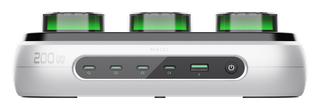
U1-200W充电站 · 使用与支持Charging Stations · Use and support

开始使用与兼容性First use and compatibility

请先确认设备型号、接口与设备说明中的输入要求,再对照产品页面。磁吸产品还可以一并说明手机与保护壳型号,线材则需要确认两端接口。Confirm the device model, connector, and input requirements, then compare them with the product page. For magnetic products include the phone and case model; for cables check both connector ends.

查看 U1-200W 规格 →View U1-200W specifications →

按现象排查Troubleshoot an issue

说明书与资料Manuals and information

该型号的说明书尚未公开,开放后将在支持中心提供版本与下载日期。The manual for this model has not been published. A version and download date will be provided in Support when it becomes available.

联系产品支持 →Contact product support →
了解 U1-200W 产品 →Explore U1-200W →

TROUBLESHOOTING

先从最容易确认的环节开始。Start with the easiest checks.

选择你遇到的现象,按步骤逐项检查。Choose what you are seeing, then work through each check.

没有充电Charging does not start

适用于充电器、充电宝、桌面充电站与线材Applies to Chargers, power banks, desktop charging stations, and cables

  1. 01

    断开电源。

    Disconnect power.

  2. 02

    检查供电端、线材和设备接口。

    Inspect the power source, cable, and device port.

  3. 03

    再用已知正常的部件逐一交叉测试。

    Cross-check each part with a known-good component.

预期结果:重新连接后,设备应进入稳定充电状态。Expected outcome: After reconnecting, the device should enter a stable charging state.

先注意Safety first

发现破损、变形、焦痕、异味或进液时不要继续通电。Do not reconnect power if you see damage, deformation, scorch marks, unusual smells, or liquid ingress.

仍未解决?联系支持Still unresolved? Contact support
01没有充电Charging does not start

适用于充电器、充电宝、桌面充电站与线材Applies to Chargers, power banks, desktop charging stations, and cables

  1. 01

    断开电源。

    Disconnect power.

  2. 02

    检查供电端、线材和设备接口。

    Inspect the power source, cable, and device port.

  3. 03

    再用已知正常的部件逐一交叉测试。

    Cross-check each part with a known-good component.

预期结果:重新连接后,设备应进入稳定充电状态。Expected outcome: After reconnecting, the device should enter a stable charging state.

先注意Safety first

发现破损、变形、焦痕、异味或进液时不要继续通电。Do not reconnect power if you see damage, deformation, scorch marks, unusual smells, or liquid ingress.

仍未解决?联系支持Still unresolved? Contact support
02功率或速度低于预期Power or speed is lower than expected

适用于所有补能产品Applies to All charging products

  1. 01

    确认设备当前电量和温度。

    Check the current battery level and temperature.

  2. 02

    并核对充电器、线材与终端整条链路的要求。

    Verify the requirements of the charger, cable, and device as a complete connection.

预期结果:条件匹配后,设备应保持连续充电;实际速度会随电量与温度变化。Expected outcome: With a compatible chain, charging should remain continuous; actual speed will change with battery level and temperature.

先注意Safety first

不要在设备高温或高负载时反复插拔测试。Do not repeatedly reconnect while the device is hot or under heavy load.

仍未解决?联系支持Still unresolved? Contact support
03协议或接口不匹配Protocol or connector mismatch

适用于USB-C、Lightning 与磁吸补能产品Applies to USB-C, Lightning, and magnetic charging products

  1. 01

    同时确认供电端和设备端接口。

    Check the connectors at both the power source and the device.

  2. 02

    并对照设备说明中的输入要求重新选择充电器或线材。

    Select a charger or cable that matches the input requirements in the device documentation.

预期结果:接口与输入要求匹配后,设备不再提示不支持。Expected outcome: The unsupported message should clear once the connector and input requirements match.

先注意Safety first

不要强行插入不匹配接口,也不要使用变形端头。Never force an incompatible connector or use a deformed plug.

仍未解决?联系支持Still unresolved? Contact support
04温度异常Abnormal temperature

适用于充电器、充电宝与桌面充电站Applies to Chargers, power banks, and desktop charging stations

  1. 01

    立即断开电源。

    Disconnect power immediately.

  2. 02

    把产品移到通风、干燥且远离可燃物的位置自然冷却。

    Let the product cool naturally in a ventilated, dry place away from combustible materials.

预期结果:停止使用后温度应逐渐下降,不再出现异味或异常声响。Expected outcome: Temperature should fall after use stops, with no further smell or abnormal sound.

先注意Safety first

持续烫手、异味、冒烟、变形或异常声响属于停止使用条件。Persistent excessive heat, unusual smells, smoke, deformation, or abnormal sounds require immediate stop of use.

仍未解决?联系支持Still unresolved? Contact support
05连接反复中断Repeated disconnection

适用于线材、磁吸充电宝与 USB-C 充电产品Applies to Cables, magnetic power banks, and USB-C charging products

  1. 01

    重新插紧端口或对准磁吸位置。

    Reconnect the port firmly or realign the magnetic connection.

  2. 02

    移除不兼容保护壳。

    Remove any incompatible case.

  3. 03

    并检查线材是否过度弯折。

    Check for excessive bending of the cable.

预期结果:调整后连接应保持稳定,不再频繁开始和停止。Expected outcome: The connection should remain stable after adjustment.

先注意Safety first

端头松动、线身破损或接口焦黑时停止使用。Stop use if a connector is loose, the cable is damaged, or a port shows scorch marks.

仍未解决?联系支持Still unresolved? Contact support